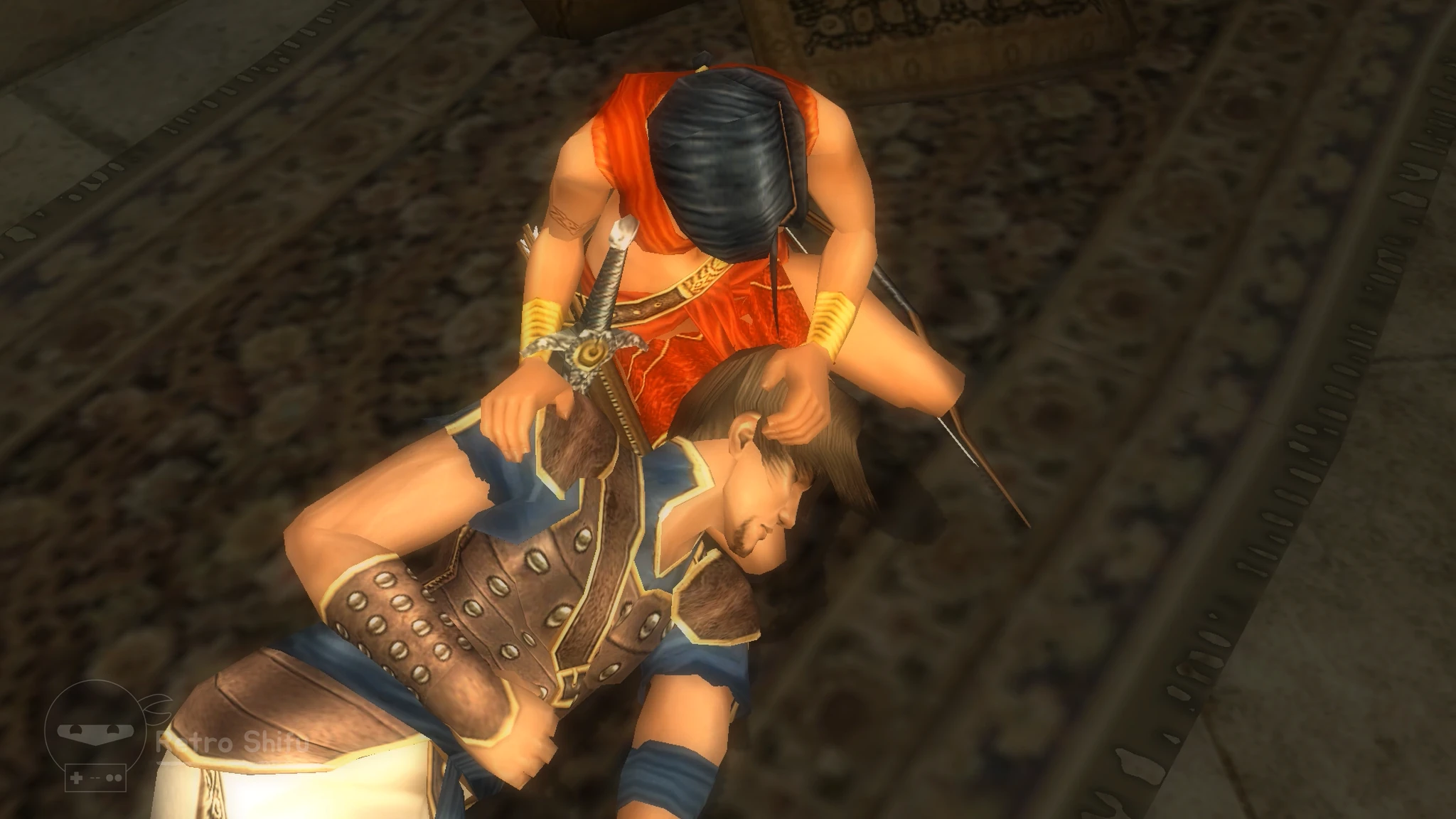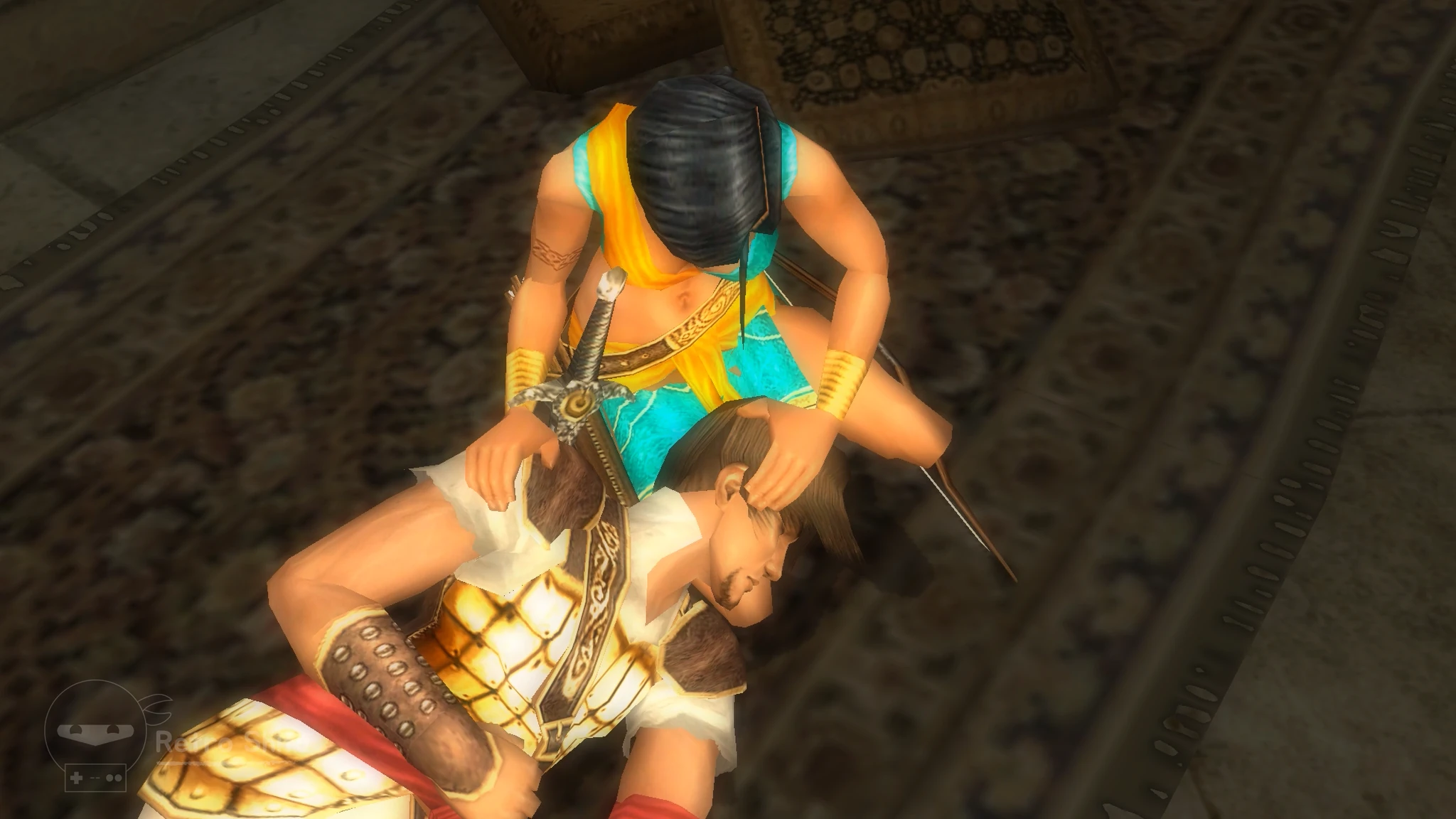
Prince and Farah Concept ArtVideo Game Mod Installation Tutorial
Published by Retro Shifu on Friday, April 10th, 2026
Video Game Details
Title
- Prince of Persia: The Sands of Time
Developer
- Ubisoft Montreal
Publisher
- Ubisoft
Release Dates
- North America: Tuesday, December 2nd, 2003
- Europe: Friday, December 3rd, 2003
Introduction
I recently completed my first playthrough of Prince of Persia: The Sands of Time (2003). I used the GOG release for Windows PC to do so. The game is very fun, but after finishing it I was left wanting more. Unfortunately, there is no New Game Plus, and there are no extras or unlockables to try for. So, I’m turning to the modding community to get just a little bit more out of the Prince and his Persian quest to contain the Sands of Time.
While perusing what’s available on NexusMods.com, I stumbled across a mod called “Prince and Farah Concept Art.” It’s a costume changer for the Prince and Farah. Apparently, these costumes are meant to resemble early concept art for the game. I looked around online, and I think I found some of this concept art over on PrinceOfPersia.Fandom.com.
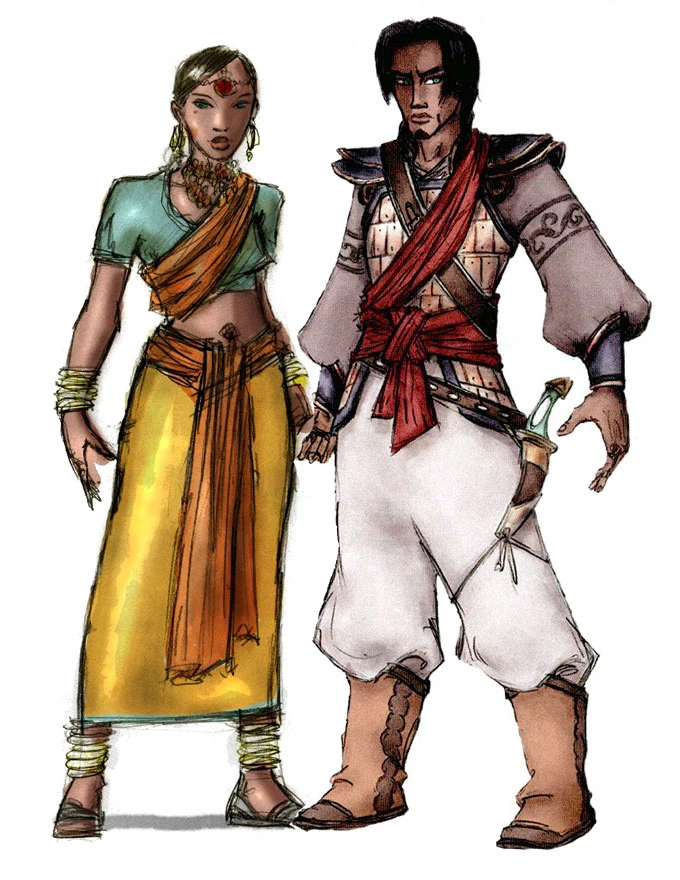
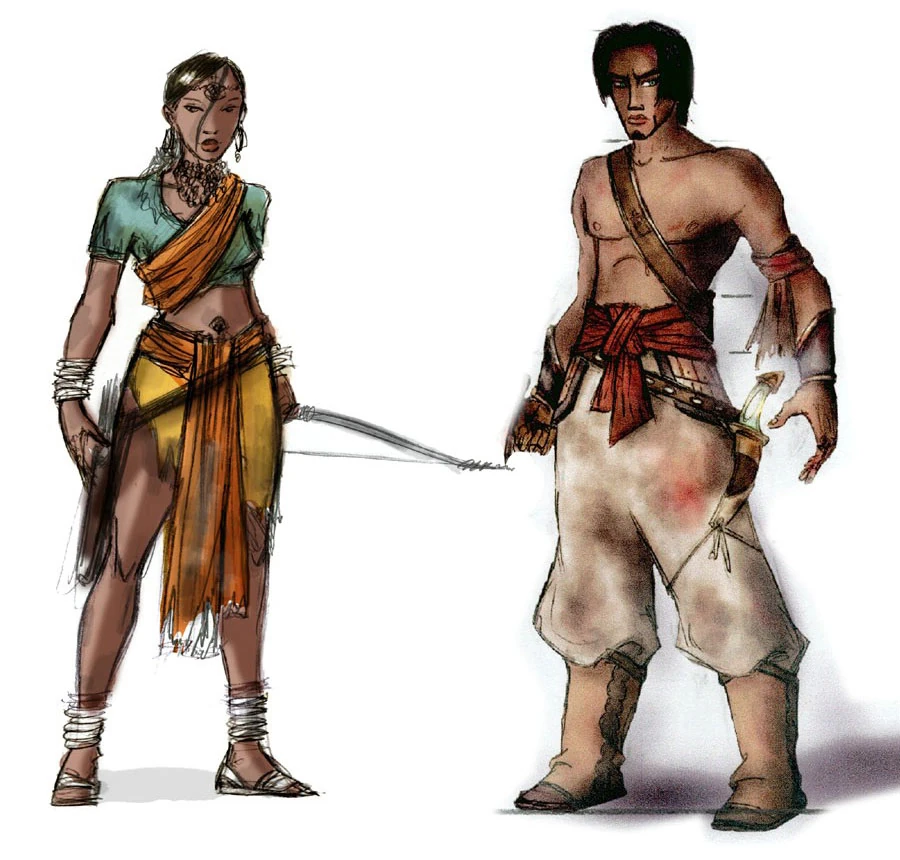
If you look at it, you’ll notice that the colors used are different. Farah’s dress is almost turquoise but still has gold present. This is different from what is used in the official game for Farah’s dress: red and gold. The Prince no longer has his blue shirt and brown leather armor. Instead, his shirt looks just as white as his pants now, and his sash is red instead of blue too. It’s really cool to see this concept art, and it makes me more excited about the mod because it’s basically restoring an original idea for fun.
Tutorial
Installation
The mod is available on NexusMods.com and is called “Prince and Farah Concept Art.” It was uploaded by "gironia," so special thanks to that person for the hard work and kindness. Click here to see the mod. You will need to create a free account to download the mod. The site is a reputable host for PC gaming mods, so I wouldn’t worry about making an account with them. Anyway, click the orange button that says “Manual” next to the word “Download.” This is on the right side of the screen.
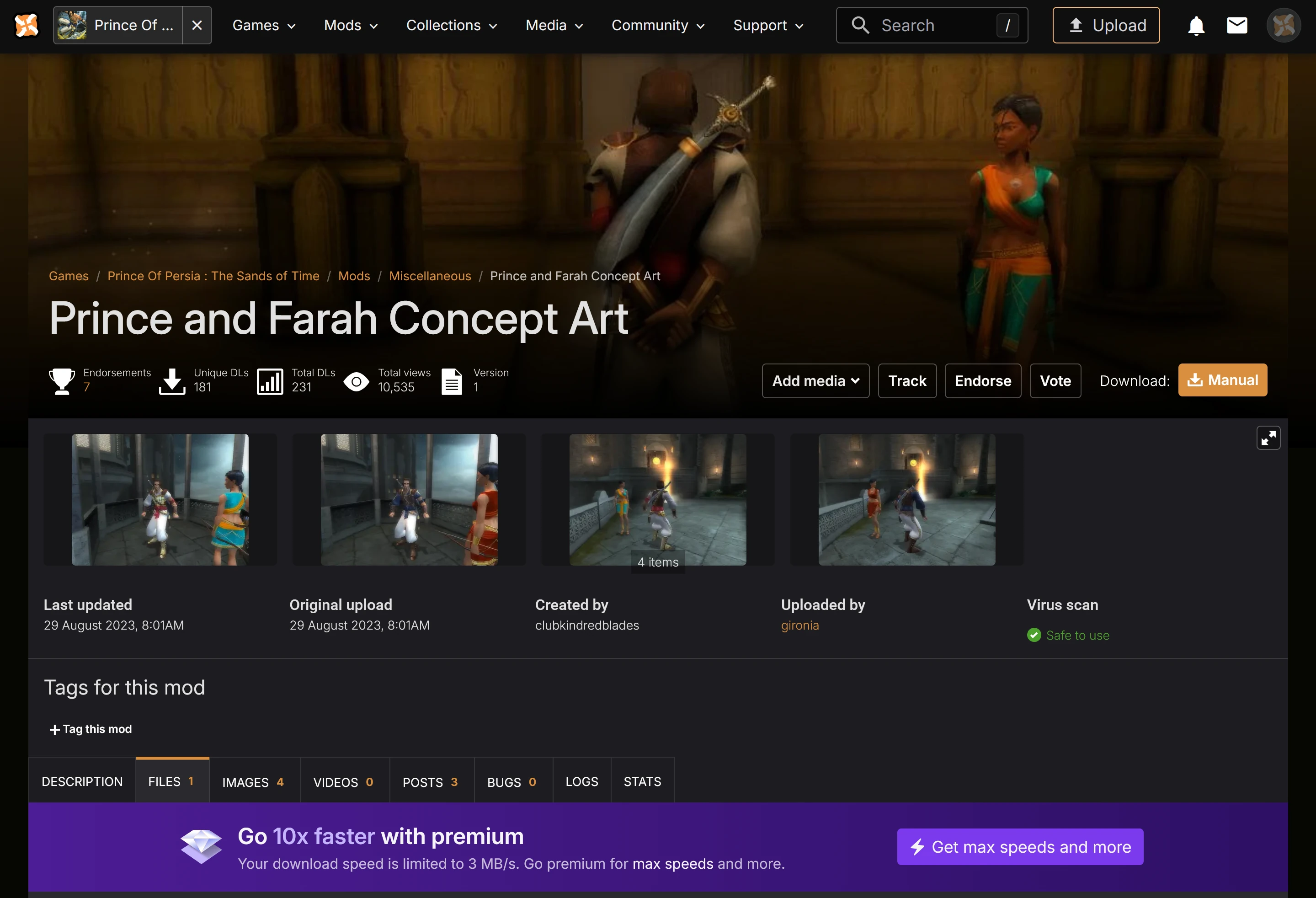
Once you’ve clicked the orange button that says “Manual,” you will be brought down to the “FILES” section. You will have a choice between “Slow download” or “Fast download - free trial.”
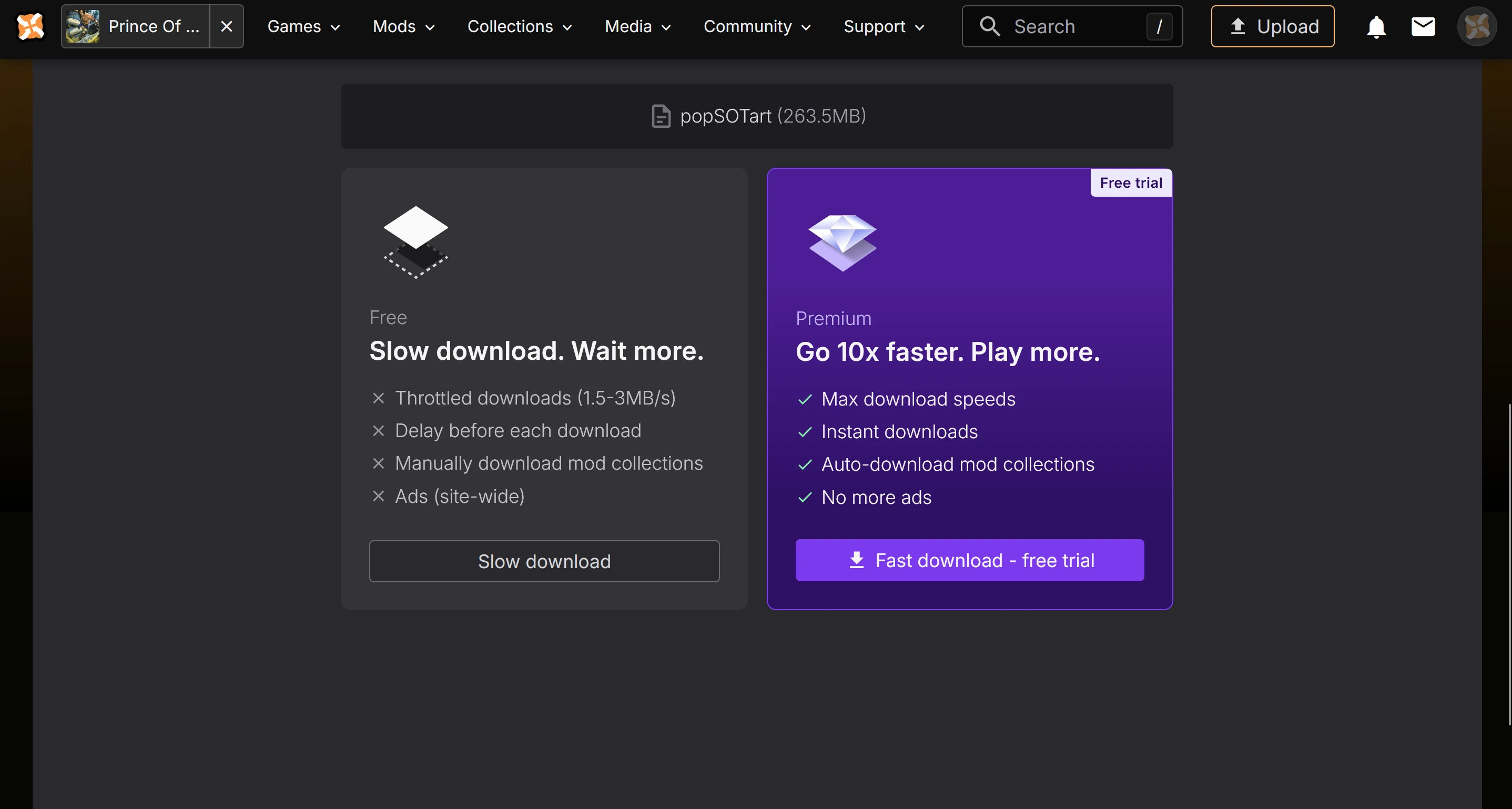
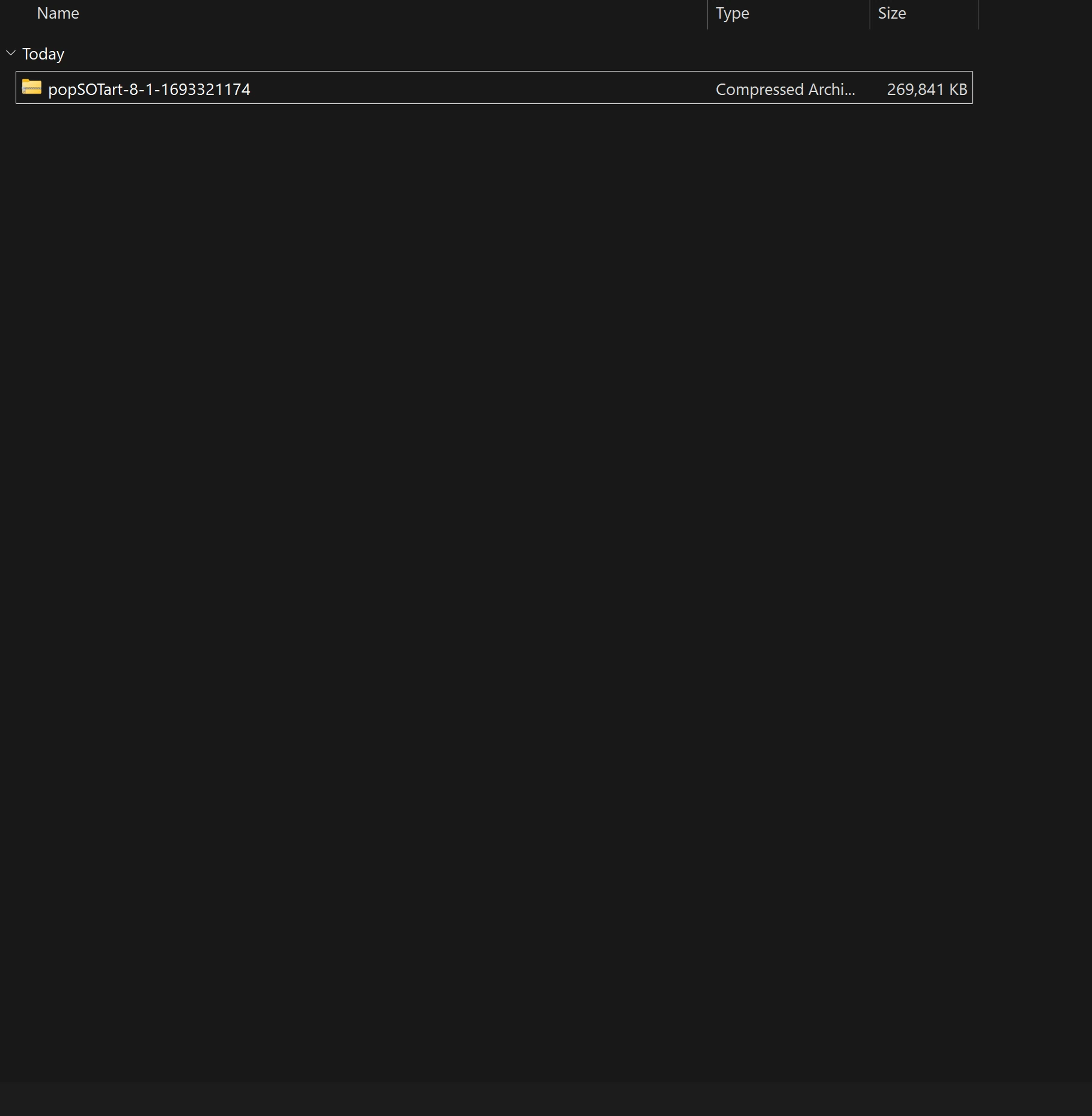
Click “Slow download” if that is best for your situation. A compressed archive folder called “popSOTart-8-1-1693321174” will download.
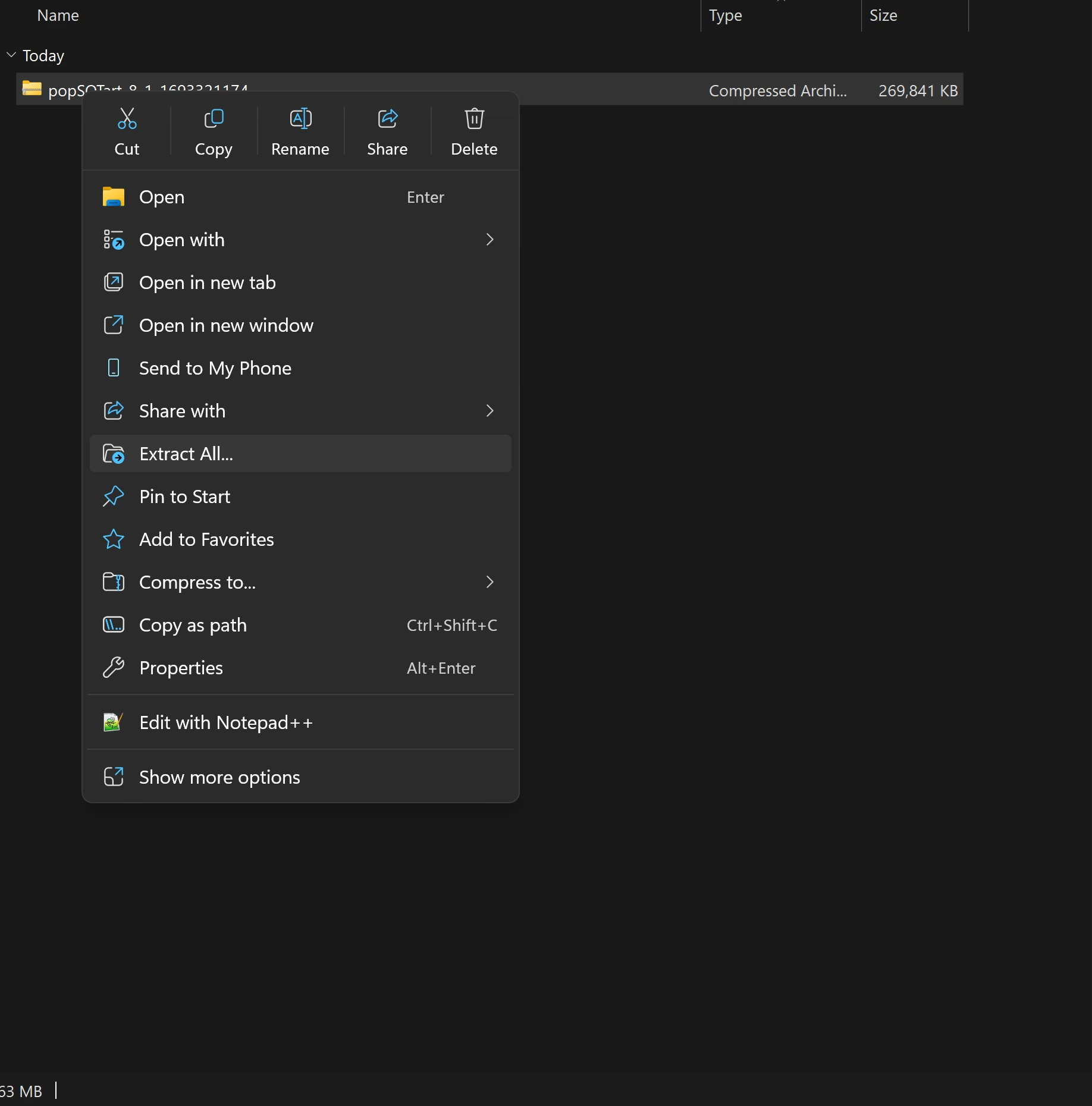
Right click the file and then click “Extract All…”
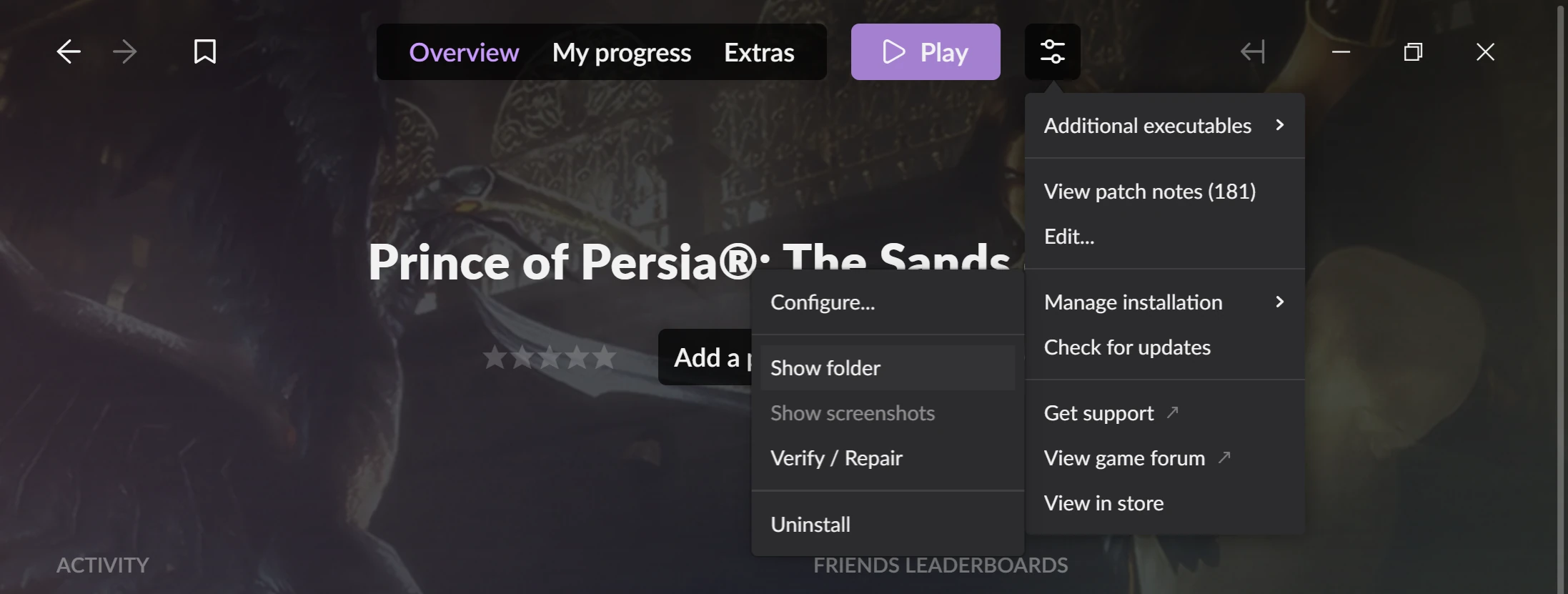
Extracting the archive will create a folder called “popSOTart-8-1-1693321174.” Inside of this folder is a file called “prince.bf.” You need to copy this file into the folder where the game is installed. You can find where this folder is located by navigating to the game’s page in the GOG Galaxy Launcher. Once there, click on the settings icon next to the “Play” button. A drop-down menu will appear. Go to “Manage Installation” and click on “Show folder.” This will bring up the folder where the game is installed.
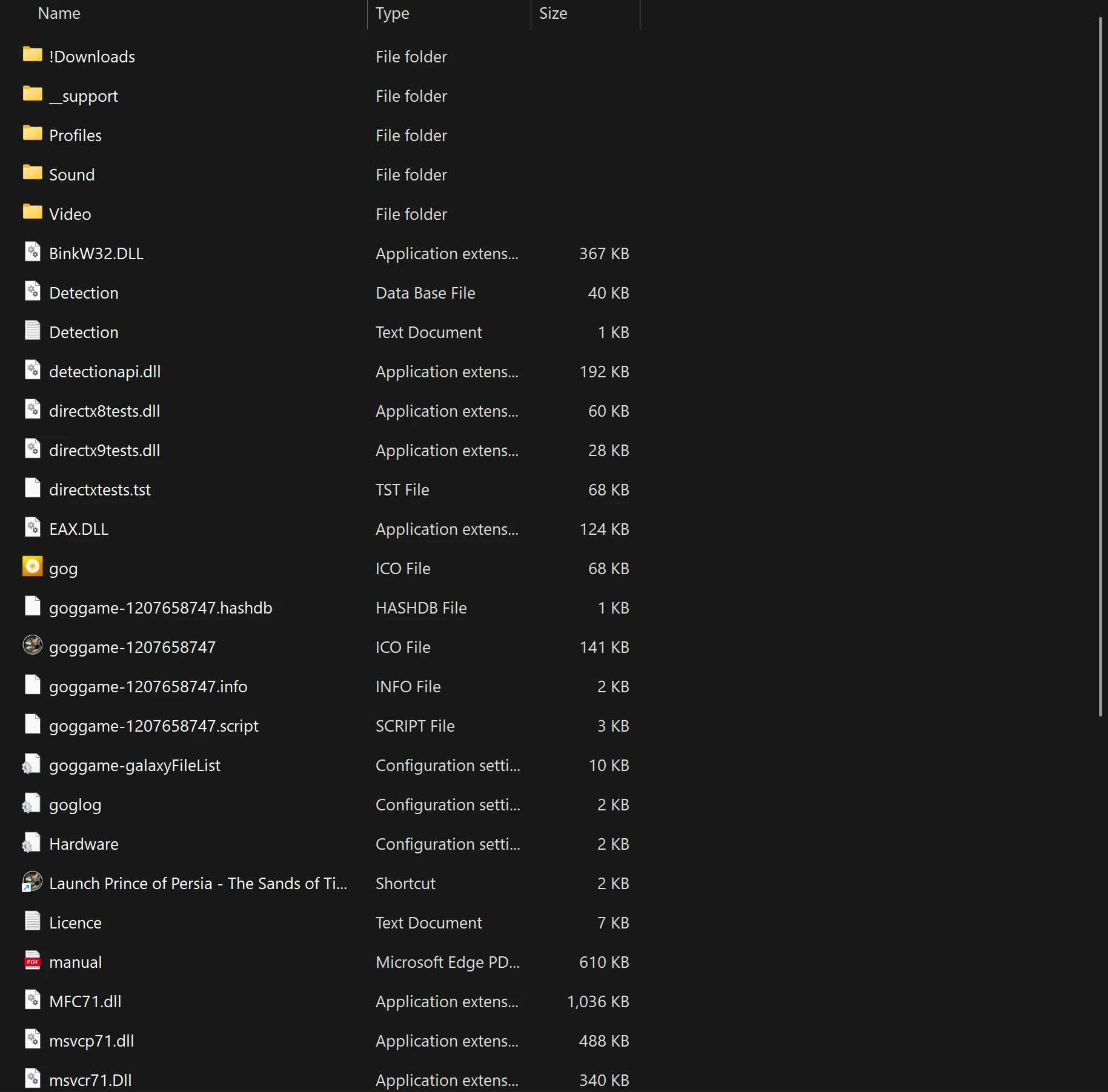
Before you copy the “prince.bf” file into this folder to install the mod, you should make a copy of the original for safekeeping. Scroll down, find the current “prince.bf” file and make a copy of it. I made a copy of mine and renamed it “original-prince.bf” file and saved it in a folder on my Desktop. Now that you have a backup, copy over the “prince.bf” file from the “popSOTart-8-1-1693321174” mod folder.
Voilà! The mod is now installed. Have fun running around as Prince and Farah again but this time with some fresh new threads! Thank goodness for concept artists and generous modders, right?
If you own the Steam version of the game, you can use the game's page within the Steam Launcher to quickly access the game's installation folder. Go to the game's page in the Steam launcher. On the right side of the screen, you will see a settings icon. Hover over it. A drop-down menu will appear. Hover over "Manage." Click "Browse local files." This will take you to the game's installation folder. Once there, copy-paste the mod's "prince.bf" file to install it, just like with the GOG version of the game. I don't have the Steam version, otherwise I would post some screenshots too. Sorry.
Uninstallation
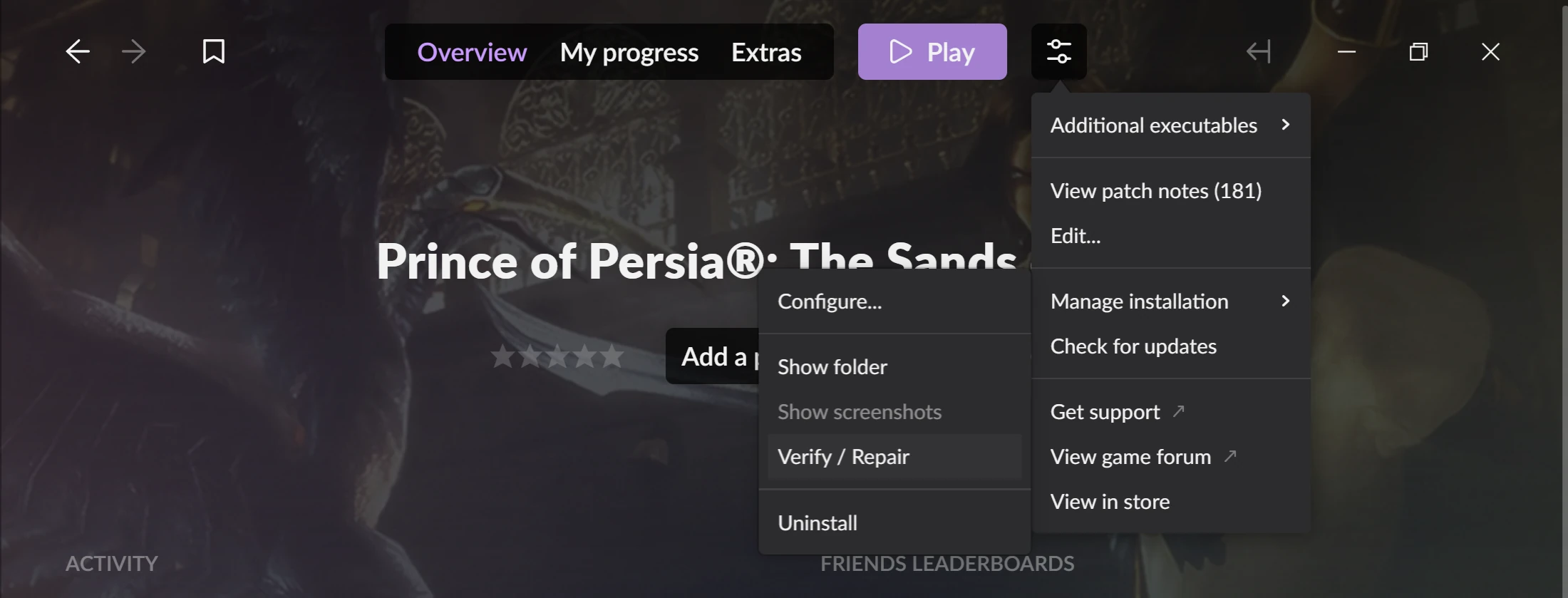
You can copy your original “prince.bf” file back into the installation folder to uninstall the mod. Another way to uninstall the mod is to navigate to the game’s page in the GOG Galaxy Launcher. Click on the settings icon next to the “Play” button. A drop-down menu will appear. Go to “Manage installation.” Another drop-down menu will appear. Click “Verify / Repair.” This will re-download the game’s original, unmodified “prince.bf” file for you.
If you have the Steam version of the game, you can uninstall it the same way. Just copy and replace the mod's "prince.bf" file with the original, unmodded "prince.bf" file. You can also use the Steam Launcher to help you uninstall the mod. Go to the game's page in the Steam Launcher. Click the settings icon on the right side of the screen. A drop-down menu will appear. Click "Properties." A window will pop up. Click "Installed Files" on the sidebar. Click "Verify integrity of game files." That should do it for uninstalling the mod for the Steam version.
Additional Notes
The Prince’s costume changes in the original game as you make progress. At the start, he is wearing a headcovering, but by the time he reaches the Sultan’s palace in Azad, he takes off his headcovering. And eventually, his costume becomes so worn that he takes off his shirt. These changes really add to the game’s sense of realism, and it would be a shame to lose them because of a mod.
I loaded the game up and can confirm that the Prince still starts with the headcovering, and he still removes it by the time he reaches the Sultan’s palace. The modded costume changes in the same way, which is really good to know. The modded costume also takes into account when the Prince's costume becomes worn and when he doesn’t have his shirt on anymore. The fact that the mod adheres to these small details makes it feel like a much more natural integration into the game. I highly recommend this one for a second playthrough.